
Mixing Light – Getting Great Greenscreen Keys Using Fusion’s Delta Keyer
Mixing Light – Getting Great Greenscreen Keys Using Fusion’s Delta Keyer
https://mixinglight.com/color-grading-tutorials/how-to-use-delta-keyer-davinci-resolve-fusion/
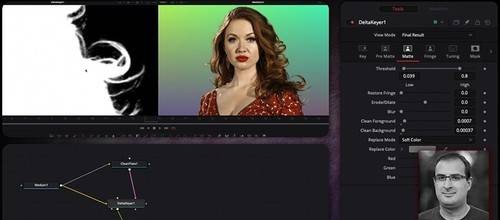
This Insight demonstrates the correct workflow for Fusion’s Delta Keyer, which derives its matte from the difference between a green screen plate and a clean plate rather than from a single sampled color. It covers building a test composite over a harsh gradient background, generating a clean plate with the Clean Plate node, refining it with Erode, Grow Edges and Fill, adding a garbage matte, and passing the matte to the Color page for separate foreground and background grading. Fusion’s Delta Keyer: An incredibly powerful but misunderstood tool When I first started using the Delta Keyer in Fusion – I never seemed to get the results I was expecting. Keys took a lot of tweaking, and it always seemed harder than it should be. This got me thinking of one of my overall philosophies when it comes to just about any type of workflow: “If you are working really hard – there is probably a better way to approach the problem”.
Instructor: Joey D'Anna | Duration: 12m 46s | Level: Advanced | Software: Fusion | Published: October 11, 2022
Key Takeaways
- How the Delta Keyer is different than normal keyers, and why a single color selection isn’t ideal
- Using the Clean Plate node to make a good clean plate for the Delta Keyer to work from
- Adjusting and tuning the resulting key and adding garbage mattes
- Finishing the comp on the color page