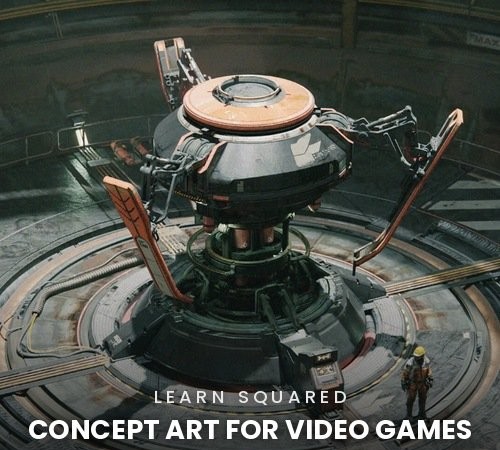
Learn Squared – Concept Art for Video Games with Daniele Solimene
Learn Squared – Concept Art for Video Games with Daniele Solimene
Game Concept Art | Blender 3D | Photoshop Paintover
English Audio | No Subtitles | 6 Lessons | 167 Videos | 21h 52m
Course Details
- Provider: Learn Squared
- Instructor: Daniele Solimene, AAA concept artist who has worked on Conan Exiles, Dune: Awakening and Off The Grid
- Lessons: 01 Sketching Methods (31 videos, 2h 50m), 02 3D Modeling (20 videos, 2h 47m), 03 3D Details (25 videos, 3h 9m), 04 Realism Pass (29 videos, 5h 6m), 05 Rendering (37 videos, 4h 37m), 06 Final Presentation (25 videos, 3h 19m)
- Topics: Building a brief and gathering references, 2D line sketches and VR or 3D blockouts, modeling in Blender, client feedback revisions, kitbashing and detail distribution, materials, decals and color schemes, set dressing, lighting and cameras, render passes, Photoshop paintover and all-Blender rendering, layouts, functionality sheets and final portfolio presentation
- Course Length: 21h 52m across 167 videos
- Software: Blender and Adobe Photoshop, plus Gravity Sketch and the QuickShape, Hard Ops and Curve Basher add-ons
- Skill Level: All levels, with three adjustable difficulty levels
- Project Files: Included for Lesson 1 (Sketching Methods) and Lesson 4 (Realism Pass)
- Audio: English
- Subtitles: None
- Included: 5 RAR parts
- Provider Website:Learn Squared
About This Course
Immerse yourself in the world of video games with AAA concept artist Daniele Solimene. This course teaches the complete concept art pipeline for games using Blender and Adobe Photoshop, following industry standards from the first sketches all the way to a finished portfolio piece. You start by building a brief, gathering references and exploring ideas with line sketches and VR or 3D blockouts, then model and refine the design in Blender, respond to simulated client feedback and add detail with kitbashing. A realism pass covers materials, decals and color schemes, before the scene is dressed, lit and rendered through two workflows: a Photoshop paintover and an all-Blender approach. The course ends with layouts, beauty shots, functionality sheets and post-processing for a professional final presentation.