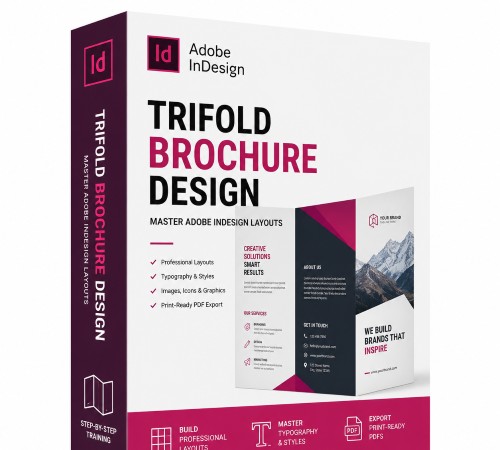
Udemy – Trifold Brochure Design: Master Adobe Indesign Layouts
Udemy – Trifold Brochure Design: Master Adobe Indesign Layouts
https://www.udemy.com/course/indesign-trifold-brochure-design-creative-layout/
Language: English (US)
Learn professional layout techniques, typography, custom paragraph styles, and precise print grid alignment in InDesign
What you’ll learn
Layout Foundations & Grid Systems: Learn to use a typeface’s leading value to calculate precise margins and set layout guides on InDesign parent pages.
Professional Typography Mastery: Format body text with custom Hyphenation and Justification settings and snap layouts to the InDesign baseline grid perfectly.
Panel-by-Panel Print Design: Master the layout mechanics of folding panels using advanced InDesign Paragraph, Character, and Object styles seamlessly.
Print-Ready Export & Production: Prepare your final layout for commercial printing by configuring bleeding settings and exporting high-quality PDFs.
Requirements
A working copy of Adobe InDesign (any modern version or Creative Cloud subscription) installed on your computer.
Basic, foundational familiarity with Adobe InDesign’s workspace interface, such as moving panels and locating basic selection tools.
No advanced graphic design or typography experience is required—this course provides a step-by-step layout framework from scratch.
Description
Learn how to design clean, professional trifold brochures from scratch through a series of compact, easy-to-follow lessons using Adobe InDesign’s powerful print layout and professional typography features. This course bridges the gap between basic software tutorials and high-end graphic design execution, pulling back the curtain on advanced industry workflows.Whether you’re a graphic design student, a corporate marketing professional, a freelance designer, or a creative entrepreneur, this comprehensive InDesign training will elevate your production layout skills, streamline your editorial workflow, and sharpen your eye for meticulous typographic detail, advanced layout grids, and print-ready document setup.Trifold Brochure – What you Will LearnThis comprehensive Adobe InDesign course guides you through a step-by-step, methodical graphic design workflow for creating clean, professional, and beautifully structured print media layouts. By the end of this course, you will master:Layout Foundations & Grid Systems: Learn to use a typeface’s leading value to calculate precise margins and set layout guides on InDesign parent pages.Professional Typography Mastery: Format body text with custom Hyphenation and Justification settings and snap layouts to the InDesign baseline grid perfectly.Panel-by-Panel Print Design: Master the layout mechanics of folding panels using advanced InDesign Paragraph, Character, and Object styles seamlessly.Print-Ready Export & Production: Prepare your final layout for commercial printing by configuring bleeding settings and exporting high-quality PDFs.Trifold Brochure Step-by-Step Curriculum BreakdownTo ensure a flawless hands-on learning experience, inside In Design we will work through a structured production pipeline:Document Setup & Folding Math: Adjusting layout panel widths so the inside flap folds seamlessly without overlapping.Parent Page Geometric Architecture: Building a rock-solid, reusable structural grid using parent page guides.Baseline Grid Synchronization: Forcing multi-column text frames to align flawlessly across separate panels.Automated Style Sheets: Constructing high-efficiency Paragraph and Character style sheets for global typography control.Micro-Typography Polish: Adjusting InDesign’s hidden composition tools to fix tracking gaps and bad hyphenation breaks.Preflight & Export: Packaging assets and exporting a print-ready PDF with appropriate crop marks and bleeds.Trifold Brochure Project Description & Key MilestonesMathematical Document Setup: Calculate and set the correct, proportional margins using your chosen typeface’s specific leading value for a balanced layout.Advanced InDesign Parent Page Architecture: Master master-page setup, margins, and custom guide placement on each parent page to form a rock-solid structural grid.Precise Baseline Grid Alignment: Configure your document-wide baseline grid and force text frames to snap to it, ensuring absolute alignment across different panels.Automated Typography Styles: Build clean InDesign Paragraph Styles and Character Styles to control hierarchy, handle complex text bodies, and ensure global editing efficiency.Professional Hyphenation & Justification (H&J) Refinement: Customize hidden InDesign composition settings to eliminate rivers of whitespace, bad word breaks, and awkward tracking.Enroll today, streamline your production layout workflow, and transform your blank pages into publication-ready masterpieces!