
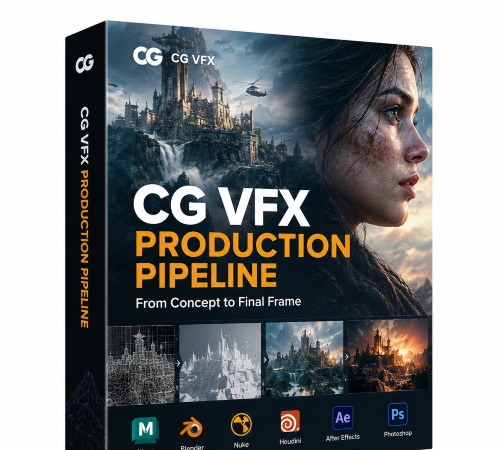
Udemy – Welcome to The CG & VFX Production Pipeline
Udemy – Welcome to The CG & VFX Production Pipeline
https://www.udemy.com/course/cg-vfx-production-pipeline
Language: English (US)
Complete CG & VFX Pipeline: Blender, DaVinci Resolve, Motion Tracking, Fusion & Matte Painting
What you’ll learn
⚡ Learn how a professional CG & VFX production pipeline works
⚡ Project real-world footage onto 3D environments
⚡ Master camera tracking and green screen keying
⚡ Create seamless 3D integrations using professional VFX compositing techniques
⚡ Integrate animated 3D elements into live-action footage
⚡ Render and composite OpenEXR Multilayer passes and AOVs
⚡ Build a professional ACES color management workflow
⚡ Use Blender, Fusion and DaVinci Resolve together
⚡ Create matte paintings and extend environments using 2D and 3D techniques
⚡ Master professional masking, Cryptomatte, Position Passes, and utility passes
⚡ Create cinematic VFX shots with depth, motion blur, optical flares, and atmospheric effects
⚡ Create cinematic-quality VFX shots from start to finish
Requirements
❗ Intermediate knowledge of Blender and basic 3D fundamentals are required
Description
Welcome to the VFX pipeline course.
This course is intended for intermediate and advanced Blender users.
What you’ll learn
* Build a complete professional CG & VFX production pipeline.
* Organize projects using an efficient, industry-standard workflow.
* Configure ACES, OpenEXR Multilayer, and professional color management.
* Create cinematic CG shots in Blender using an anamorphic workflow.
* Film professional green screen footage and create clean plates for static shots.
* Perform basic and advanced chroma keying techniques.
* Motion track footage and solve accurate 3D cameras in Blender.
* Understand when to use 3D camera tracking, 2D tracking, and planar tracking.
* Integrate live-action footage with animated 3D elements.
* Match 3D cameras, geometry, and live-action footage for accurate CG integration.
* Use holdouts, shadow catchers, indirect lighting, and realistic CG integration.
* Combine 3D renders with 2D elements such as smoke, clouds, and visual effects.
* Use 2D and planar tracking to attach elements to moving live-action footage.
* Track and animate 2D visual effects such as optical flares.
* Combine automated tracking with manual animation and corrections when tracking data fails.
* Separate scenes into optimized OpenEXR Multilayer render passes and AOVs.
* Reconstruct the beauty pass using a professional node-based compositing workflow.
* Work with Position, Depth, Vector, Mist, and other utility passes for advanced compositing.
* Use Position Passes to create spatial masks and isolate areas of a 3D scene.
* Use Cryptomatte for precise object and material isolation.
* Combine multiple mattes, alpha mattes, Magic Masks, and custom masks.
* Use Magic Mask to isolate actors and integrate them into CG environments.
* Create accurate occlusion mattes between live-action footage and CG elements.
* Apply motion blur, depth of field, optical flares, lens effects, and advanced VFX compositing techniques.
* Rebuild scenes in Fusion using 3D reconstruction and camera projection.
* Create matte paintings and environment extensions while reducing render times.
* Understand when to use 2D compositing versus 3D compositing and projection workflows.
* Build efficient hybrid 2D/3D compositing workflows in Fusion.
* Optimize Cycles render settings for maximum quality and performance.
* Understand denoising workflows for stills and animations.
* Perform professional HDR color grading in DaVinci Resolve.
* Deliver cinematic CG & VFX shots using a professional production workflow.
Welcome_to_The_CG___VFX_Production_Pipeline.part1.rar – 3.0 GB
Welcome_to_The_CG___VFX_Production_Pipeline.part2.rar – 3.0 GB
Welcome_to_The_CG___VFX_Production_Pipeline.part3.rar – 3.0 GB
Welcome_to_The_CG___VFX_Production_Pipeline.part4.rar – 3.0 GB
Welcome_to_The_CG___VFX_Production_Pipeline.part5.rar – 3.0 GB
Welcome_to_The_CG___VFX_Production_Pipeline.part6.rar – 329.5 MB